
SPRAWL zero Controls
Mouse, pad, and the binds that make disposable guns feel intentional.
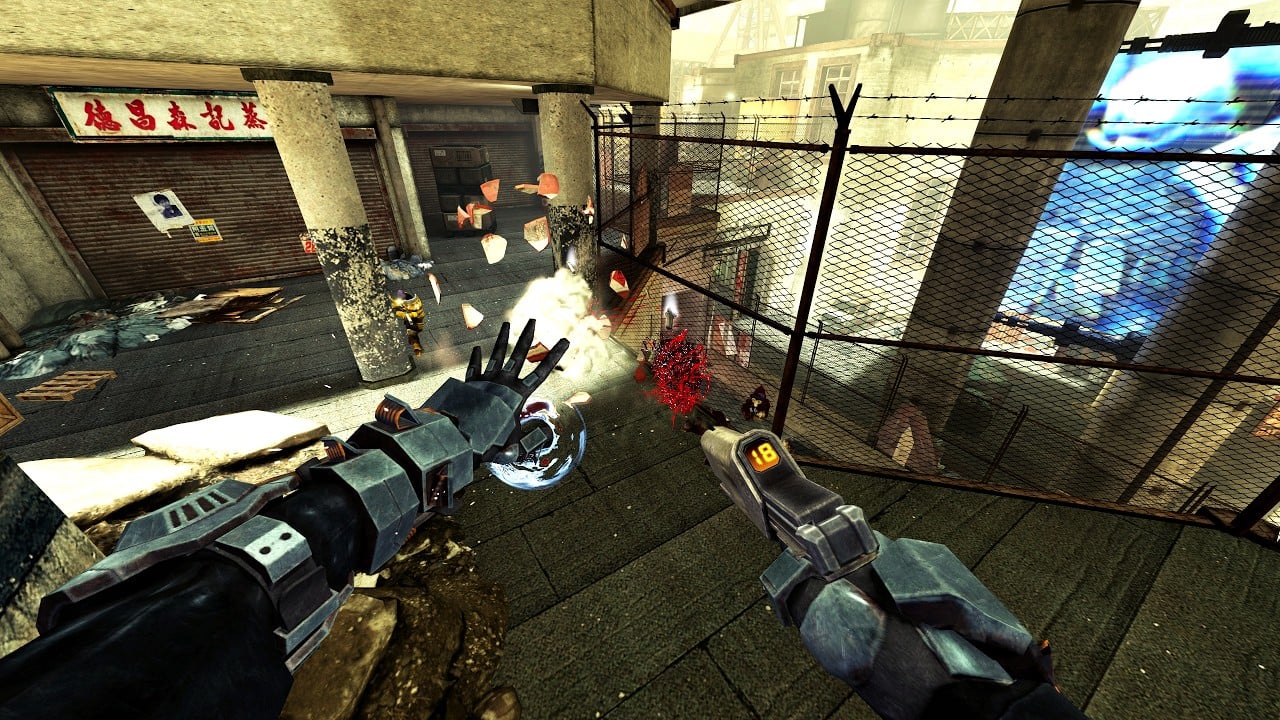
SPRAWL zero plays like a 2000s console shooter that grew a physics layer. The bind list is short on purpose. What trips people is not finding sprint — it is not realizing throw, grab, and punch are the reload button, the loot button, and the melee button all at once. This page is the control layer. Pair it with Getting Started if you have not dropped in yet, and with abilities once the gloves start doing more than fetching shotguns.
Steam lists full controller support, Xbox controllers, and PlayStation controllers. Keyboard and mouse remains the precise way to curve Bullet-Time shots and yank weapons off catwalks. Use whichever you can aim with; the systems do not change.
Mouse and keyboard habits that matter
Treat middle mouse as sacred. That is the throw for an empty firearm. Players coming from tactical shooters keep tapping reload and then stand in the open holding a dead gun. Throw first, then look for a replacement. Gravity Gloves pull weapons from a surprisingly long range, including guns sitting on crates above the fight.
Primary fire is the gun. When your hands are empty, the same intent becomes a gravity punch — a slow, committed melee that hits like a vehicle. Do not mash it as if it were a knife. Wind it up on isolated targets or on scenery you want to turn into shrapnel.
Look / aim is standard mouse. Sprint exists, and it is the enemy of Bullet-Time: starting a sprint cancels the slow-motion augment. If you are in the habit of tapping sprint after every shot, rebind that muscle before you blame the ability. Details on the resource sit in augments.
Scan is how you ask the level for a waypoint. It marks a destination, not a NavMesh path. After a scan you still have to read verticality — cranes, interior windows, and the walls the game expects you to blow rather than open. There is no classic use key. If a door looks important and will not open, look for explosive barrels, a punchable panel, or a gun that can cut a hole.
Controller notes
On a pad, throw and grab need to live on buttons you can hit without leaving the stick. Put throw on a face button you already use for melee in other games so the one-gun loop stays automatic. Aim assist is not a substitute for Bullet-Time’s magnetized shots; the augment is still the precision tool when a squad is spread across a street.
Gyro is not advertised as a feature. DualSense or Xbox triggers will fire and aim; do not expect a unique adaptive-trigger puzzle. The settings page covers FOV, which still matters on a television — 60 feels like an original Xbox cutscene, 100–120 is modern PC.
Movement, cover, and verticality
SPRAWL zero is grounded compared with 2023’s SPRAWL. You are not a wall-running Icarus. You are a heavy supersoldier who still uses stairs, catwalks, and blown floors. Slide-jump nonsense is not the skill ceiling. The skill ceiling is using height to break squad sightlines, then dropping a captain so the rest of the fireteam lights up through walls.
Cover works until a grenade decides it does not. Peeking the same crate twice is how flanking IMAGO-DEI troops walk into your back. After you learn binds, go to combat and practice leaving cover on your terms.
Accessibility and options that change binds in spirit
Steam lists adjustable difficulty, playable without quick-time events, and several visual accessibility flags. There is no published color-blind overhaul beyond standard Unreal Engine 5 sliders. If a HUD element is hard to read, raise FOV slightly so world-space guns are larger, and turn down film grain if the demo exposes it.
Remapping is expected on PC. If you rebound throw to a side mouse button, keep grab nearby. The loop is throw → look → pull → fire. Splitting those across opposite sides of the keyboard is how people drop their only shotgun into a pit.
Common control mistakes in the demo
- Tapping a reload key that does nothing, then dying with ammo on the floor five metres away.
- Punching while a usable gun is in hand, or trying to punch with a gun equipped.
- Sprinting the instant Bullet-Time starts, cancelling the only window you had to curve a shot into a captain.
- Ignoring scan, then assuming the level is broken because a wall is actually the door.
- Using Gravity Shield as a panic crouch instead of a catch-and-return. Shield binds are covered with the other augments on the abilities page.
Once the binds are muscle memory, run The Graveyard again from the demo walkthrough without stopping to think about which finger throws. That is the real tutorial. If a fight still feels unfair, it is probably a weapon choice or a squad you have not broken, not a missing key.
Frequently Asked Questions
Quick answers for FIVE's first hours in the Sprawl.
What button reloads in SPRAWL zero?
None. You throw empty weapons and pull new ones with Gravity Gloves. Middle mouse is the common PC throw bind.
Is there a use or interact key?
Not in the classic sense. The demo teaches you to breach walls and grab objects instead of pressing a prompt on every door.
Does SPRAWL zero support controllers?
Yes. Steam lists full controller support for Xbox and PlayStation pads. Keyboard and mouse remains better for long-range Gravity Glove grabs.
Why does Bullet-Time stop when I sprint?
Sprint cancels Bullet-Time. Walk or strafe while it is active. See the abilities page for adrenaline recycling.